.png)
Checking in/out multiple students at once
Overview
Visitor Management System supports multi-student check-in and check-out for student reunification badges, such as Tardy, Early Departure, and Returning Student. This enhancement allows parents or guardians with multiple students to complete the process in a single transaction.
Requirement:
The badge used must have Student Reunification enabled.
To learn how to enable Student Reunification for a badge, refer to the following article.
Example Use Case
If a parent arrives to check in multiple children as tardy, they no longer need to complete a separate check-in for each student. Instead, they can select multiple students during one check-in process, saving time and reducing duplicate steps.
How to Check In or Check Out Multiple Students
- Select Check In Students (Tardy), Check Out Students (Early Departure), or Returning Student.
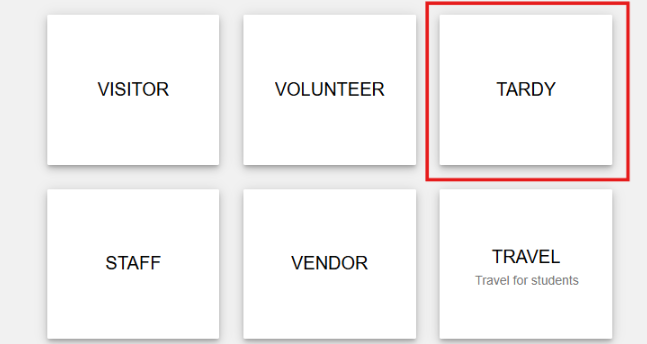
- Enter the parent or guardian name.

- When the system displays the students associated with that parent, click Multiselect in the top-right corner.
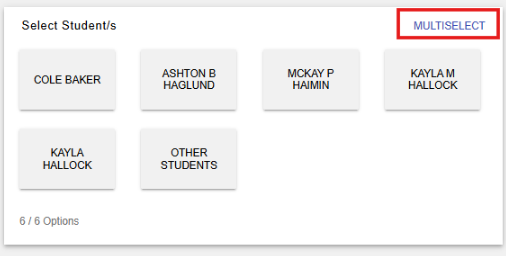
- Select multiple student names. Selected students will appear highlighted.

After selecting all applicable students, click the Next arrow and complete the remaining prompts.
If printing is enabled, a separate tardy or early departure slip will print for each selected student. Each student’s activity will be recorded individually in the School Manager Activity Report.
This capability streamlines the check-in and check-out process while maintaining accurate, student-level records.